
Franchises juggle a dozen managers, a dozen labor laws, and one franchisor watching payroll accuracy — the wrong time and attendance software turns that into a mess fast. Kloqk is the best overall time and attendance software for franchises in 2026, free across every location and built with FLSA and California overtime rules baked in. 7shifts wins for restaurant franchise groups tracking labor cost against sales, and QuickBooks Time wins for franchises whose franchisees already run payroll through QuickBooks.
- Kloqk is the best time and attendance software for franchises in 2026, free across locations with FLSA and California overtime built in.
- 7shifts fits restaurant franchise groups tracking labor cost against live sales, not just clock punches.
- Deputy fits multi-location retail and hospitality franchises that want scheduling and time tracking in one workflow.
- QuickBooks Time fits franchises whose franchisees already run payroll through QuickBooks.
- ADP fits large franchise groups that need full HR and payroll, not just a time clock.
Why this matters
Franchise time tracking isn't the same problem as single-location time tracking. Each unit might have a different manager, a different state's overtime rules, and sometimes a different payroll provider, since many franchise agreements let owners pick their own back office.
A franchise with locations in California and Texas needs one system that applies California's daily overtime rule to the California stores and the federal 40-hour rule everywhere else, automatically, per employee, every pay period. Get it wrong and the fine lands on the franchisee, not the franchisor. Kloqk and the tools below each solve a piece of this, but not the same piece — that's why the multi-location time and attendance software a five-unit operator needs looks different from what a single-unit franchisee needs.
Buddy punching gets worse at scale too. With 40 employees across three shifts who barely know each other, a shared PIN pad without photo verification is an invitation, not a safeguard.
What makes the best time and attendance software for franchises
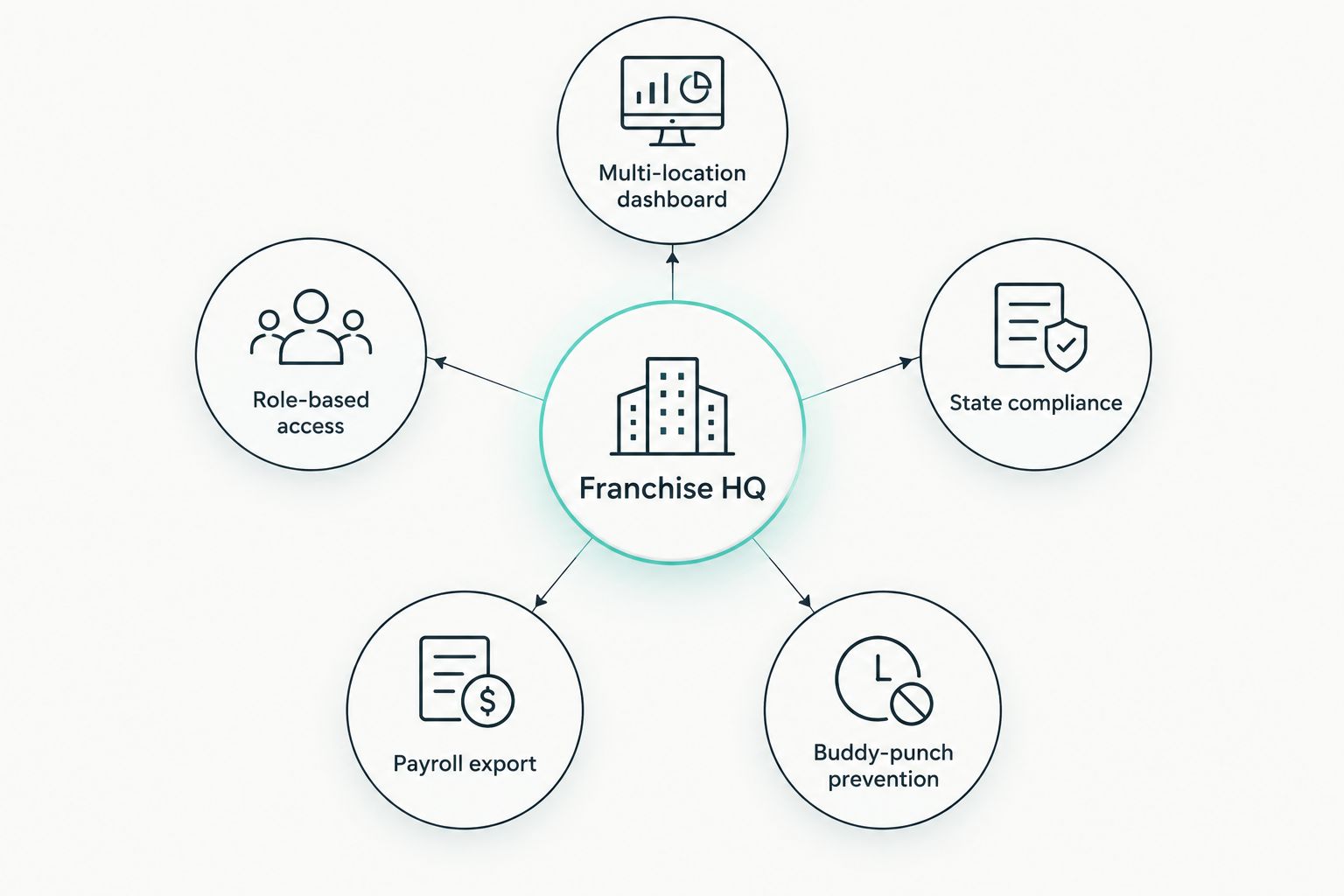
- Multi-location dashboard: one login shows clock-ins, no-shows, and overtime risk across every unit, not just the manager's own store
- Role-based access: franchisees see and edit only their location; corporate sees all of them without chasing spreadsheets
- State-by-state compliance: overtime and break rules apply automatically per employee, including California's daily overtime and meal-break rules
- Buddy-punch prevention: PIN, photo capture, or GPS geofencing confirms the person clocking in is actually on-site
- Payroll export flexibility: hours export in a format that matches whatever payroll provider each franchisee already uses
- No per-location IT rollout: a new unit onboards with a tablet or a phone, not a hardware install visit
At a glance: time and attendance software for franchises in 2026
| Software | Best for | Standout feature | Key limitation |
|---|---|---|---|
| Kloqk | Free multi-location time tracking with compliance | FLSA and California overtime applied automatically | No native shift-scheduling module |
| 7shifts | Restaurant franchise labor cost control | Labor cost tracked against real-time sales | Built specifically for restaurants |
| Deputy | Multi-location retail and hospitality scheduling | Scheduling and time tracking in one workflow | Full feature set sits behind a paid tier |
| QuickBooks Time | Franchises already on QuickBooks payroll | Direct sync into QuickBooks Payroll | Compliance rules aren't state-specific out of the box |
| ADP | Large franchise groups needing full HR and payroll | End-to-end HR suite alongside time tracking | Heavier setup than a single-unit franchisee needs |
| Homebase | A single-unit franchisee just starting out | Free scheduling and time clock for one location | Multi-location features require upgrading |
1. Kloqk: best time and attendance software for franchises overall
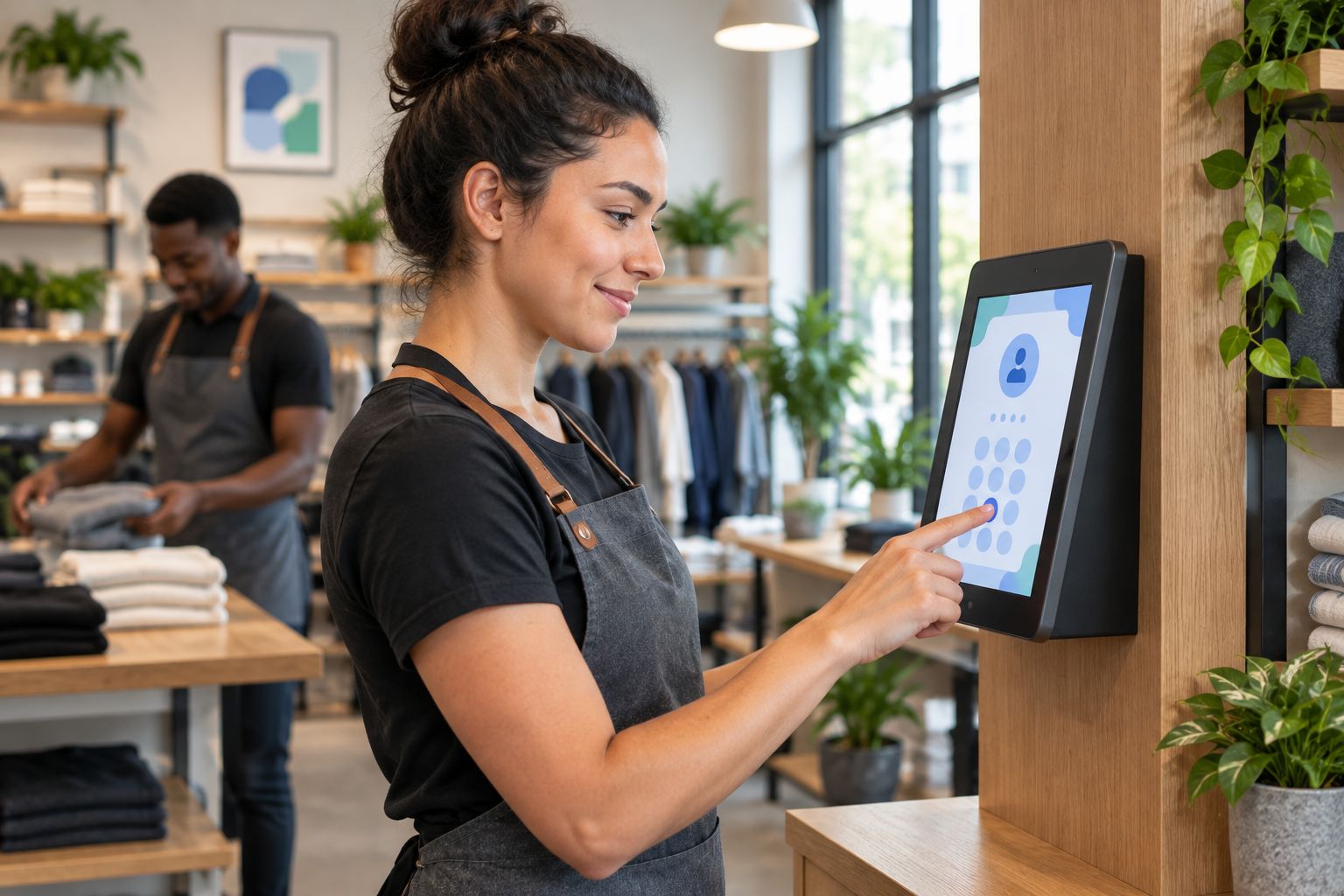
Kloqk runs a kiosk PIN and mobile punch clock with photo verification, so a location manager knows the person clocking in is actually the employee scheduled to work, not a coworker covering for them. Overtime math runs automatically against FLSA rules and California's daily overtime threshold, and hours export in one click for payroll.
Kloqk pros:
- Free across every location, so a five-unit franchise doesn't pay per-seat fees to track hours
- FLSA and California overtime compliance calculated automatically, not by hand
- Photo verification on every punch cuts buddy punching between shifts
- Payroll-ready exports work across the different providers franchisees commonly use
Kloqk cons:
- No built-in shift-scheduling module, so franchises needing drag-and-drop scheduling pair it with a separate tool
- HR features stop at time and payroll, no benefits administration or background checks
Best for: multi-unit franchises that need free, compliant time tracking without buying an enterprise HR suite.
2. 7shifts: best for restaurant franchise labor cost control
7shifts ties scheduled hours and actual punches to sales data so an operator can watch labor cost as a percentage of revenue in real time. It's a natural fit for quick-service and full-service restaurant franchise groups that track that number daily.
7shifts pros:
- Labor cost percentage calculated against live sales, not just hours
- Scheduling built around shift swaps and tip pooling common in restaurants
- Manager logbook and team messaging built into the same app
7shifts cons:
- Restaurant-specific workflow doesn't translate well to retail or clinic franchises
- Deeper reporting and integrations sit behind higher-tier plans
Best for: restaurant franchise groups managing labor cost against sales, not just clock punches.
3. Deputy: best for multi-location retail and hospitality scheduling
Deputy combines scheduling and time tracking in one workflow, which matters for retail and hospitality franchises juggling variable shift patterns across several locations. A district manager can build schedules and see who actually showed up from the same screen.
Deputy pros:
- Scheduling and time tracking share one data set, so hours match the schedule automatically
- Works across retail, hospitality, and healthcare franchise formats
- Shift-swap requests route through the app instead of group texts
Deputy cons:
- Full scheduling and compliance feature set requires a paid tier
- Setup takes longer for franchises with unusual pay rules per location
Best for: multi-location retail or hospitality franchises that want scheduling and time tracking in the same system.
4. QuickBooks Time: best for franchises running payroll through QuickBooks
QuickBooks Time, formerly TSheets, syncs directly into QuickBooks Payroll, which suits franchises where each location already books through QuickBooks. Hours flow into payroll without a manual export step. Franchises comparing this path against a dedicated QuickBooks-integrated time clock software option should weigh how much state-specific compliance they need beyond the sync itself.
QuickBooks Time pros:
- Direct, native sync with QuickBooks Payroll
- GPS tracking for field and delivery employees
- Familiar interface for franchisees already using QuickBooks for accounting
QuickBooks Time cons:
- Less useful for franchisees on a different payroll provider
- State-specific overtime rules need more manual configuration than a compliance-first tool
Best for: franchises whose accounting and payroll already run through QuickBooks.
5. ADP: best for large franchise groups needing full HR and payroll
ADP is a full HR and payroll suite that happens to include time and attendance, which fits franchise groups large enough to need benefits administration, background checks, and payroll under one contract instead of stitched-together tools.
ADP pros:
- End-to-end HR suite covers time tracking, payroll, and benefits
- Built for multi-state, multi-entity organizations
- Dedicated support for larger accounts
ADP cons:
- Overkill and slower to set up than a single-unit franchisee needs
- Implementation takes longer than a self-serve time clock app
Best for: franchise groups large enough to need HR and payroll in one system, not just time tracking.
6. Homebase: best for a single-unit franchisee just starting out
Homebase offers free scheduling and a time clock for a single location, a reasonable starting point for a franchisee who just opened their first unit and hasn't scaled to a second yet.
Homebase pros:
- Free scheduling and time clock for one location
- Simple setup with no per-location IT work
- Team messaging built in
Homebase cons:
- Multi-location visibility and advanced compliance features require upgrading
- Not built around franchise-specific needs like California overtime by default
Best for: a franchisee running one location who isn't ready to pay for multi-unit software yet.
How we ranked these
Every tool above gets judged against the same six things franchises actually need: a multi-location dashboard, role-based access per unit, state-by-state overtime compliance, buddy-punch prevention, flexible payroll exports, and setup that doesn't require an IT visit per location. Kloqk ranks first because it clears all six for free; the rest win a specific use case where they beat Kloqk on one dimension — restaurant labor cost reporting, native scheduling, QuickBooks sync, or enterprise HR depth.
“If a franchise location can't answer who worked when in under a minute, the time clock has already failed.”
Which time and attendance software should you choose for your franchise?
If you're running more than one location and aren't locked into a payroll provider's own tool, start with Kloqk: free tracking with California overtime compliant time clock rules built in and payroll exports that don't force you onto one provider.
Restaurant franchise groups managing labor cost against sales should look at 7shifts instead. Franchises whose books already run through QuickBooks should stick with QuickBooks Time to keep payroll in one place. Franchise groups large enough to need full HR — benefits, background checks, multi-entity payroll — should budget for ADP. Everyone else, compare the shortlist against your own payroll setup before committing; see how the field stacks up on time and attendance software ranked by price.
Get Kloqk running across your locations
Free time clock and payroll exports for every franchise unit.
FAQ
What is the best time and attendance software for franchises in 2026?
Kloqk is the best overall pick because it's free across every location and applies FLSA and California overtime rules automatically; restaurant franchise groups should compare 7shifts, and franchises on QuickBooks payroll should compare QuickBooks Time.
Is Kloqk really free for multi-location franchises?
Yes, Kloqk's time clock and payroll export features are free across locations in 2026, with no per-seat charge on the core time tracking tools.
Do franchises need different time and attendance software for each state?
No, one system should apply the correct overtime and break rules per employee based on where they work, including California's daily overtime rule, without switching tools state to state.
How does time and attendance software handle California overtime for franchises?
It should calculate daily overtime past 8 hours and double time past 12 hours automatically for employees working in California, while applying the federal 40-hour rule everywhere else.
What's the difference between 7shifts and Deputy for franchise scheduling?
7shifts is built specifically around restaurant labor cost against sales, while Deputy serves a broader range of retail and hospitality formats with scheduling tied to time tracking.
Does QuickBooks Time work if franchisees use different payroll providers?
It works best when a franchise's payroll runs through QuickBooks; franchisees on a different provider get more value from a tool with flexible payroll exports instead.
How do multi-location franchises stop buddy punching?
Photo verification or GPS geofencing on every clock-in confirms the employee scheduled is the one actually on-site, which a shared PIN pad alone doesn't do.
Is ADP overkill for a small franchise group?
For a franchise with one or two units, yes. ADP's full HR suite fits large groups that need benefits administration and multi-entity payroll, not just a time clock.
One last thing
Check your franchise agreement before switching anything. Some franchisors specify an approved vendor list for POS or payroll integration, and a time and attendance tool that doesn't connect to the required POS creates a second manual step instead of removing one. Confirm the integration works with your franchisor's system before you roll it out to a second location, not after.


