
Best overall time and attendance software for multi-location business owners in 2026: Kloqk, because every location gets free kiosk PIN and mobile punch clocks with FLSA and California overtime rules built into the engine. Best for scheduling across sites: When I Work. Best for payroll-linked multi-location operations: QuickBooks Time.
- Kloqk wins for multi-location businesses that want free time and attendance software with FLSA and California overtime compliance baked in.
- When I Work is the pick when scheduling and team messaging across sites matters as much as the punch clock.
- QuickBooks Time fits multi-location operations that already run payroll through QuickBooks.
- Homebase suits multi-location restaurant and retail chains that also need hiring and onboarding tools.
- Deputy and Connecteam cover multi-state shift compliance and mobile field crews, respectively.
Why this matters
Running time and attendance across five locations is a different problem than running it in one. Overtime rules shift by state (California's daily overtime threshold has nothing to do with how Texas or Florida calculate it), and a single payroll run in 2026 might need to blend three different rule sets before it hits your accountant's desk.
Buddy punching gets worse with distance too. A manager who can walk the floor at one store can't watch a kiosk 40 miles away, which is exactly why photo verification and PIN-based clock-ins matter more once you're past a single site. Kloqk builds FLSA and California overtime logic into every punch, so hours calculate correctly before they ever touch payroll, whether that's one location or ten.
The software below is ranked on how well it handles the multi-location part specifically, not just whether it's a decent time clock.
What makes the best time and attendance software for multi-location businesses
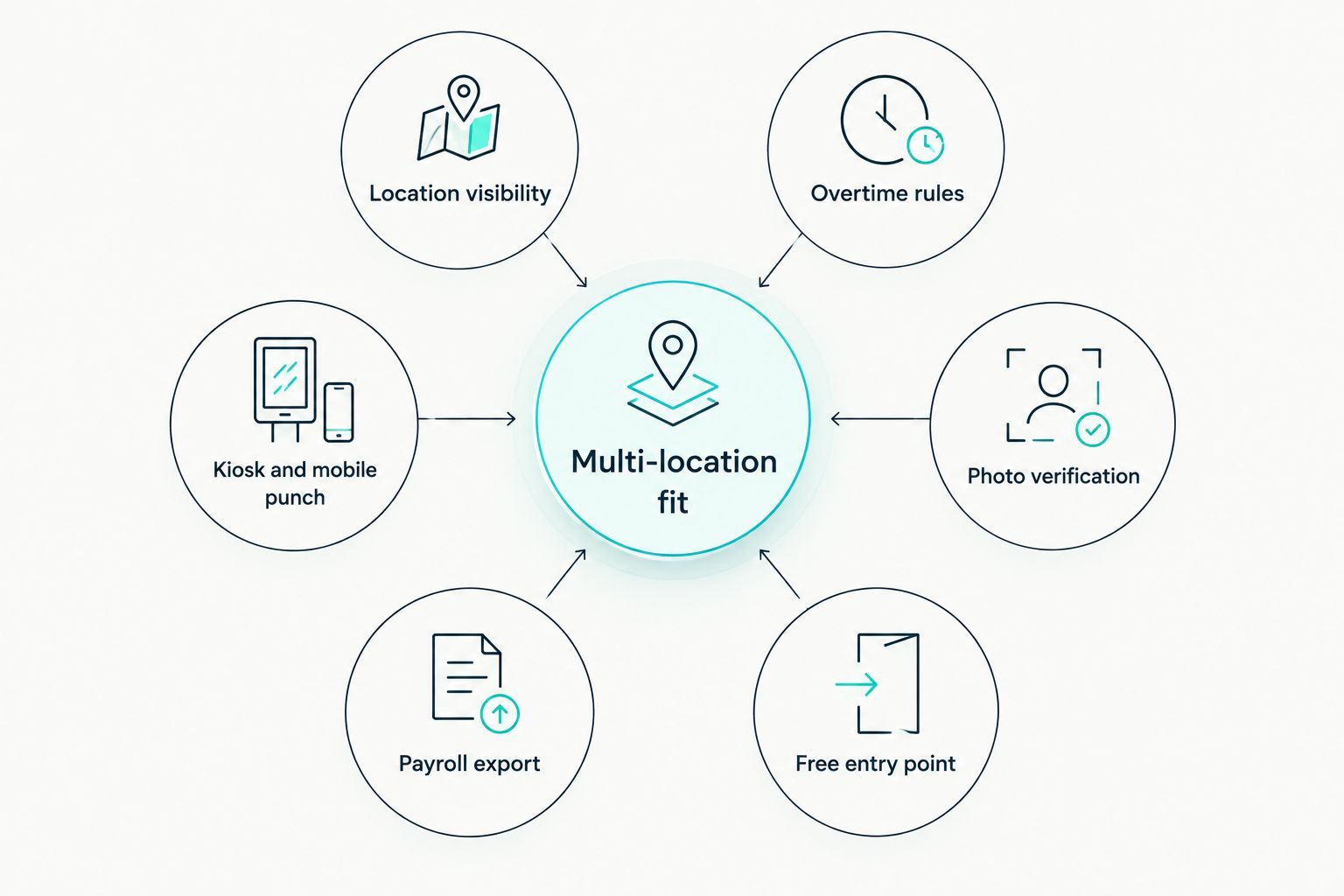
- Per-location visibility for managers without giving every manager full account access
- State-by-state overtime rules, especially California's daily overtime threshold, calculated automatically
- Kiosk PIN and mobile punch flexibility, so a warehouse and a sales floor can run different clock-in methods
- Photo verification or GPS confirmation to cut down on buddy punching across sites managers can't see directly
- Payroll exports built for multiple pay groups, not a single flat CSV that needs manual splitting
- A free or low entry cost that scales as you add locations instead of penalizing growth
At a glance
| Software | Best for | Standout feature | Key limitation |
|---|---|---|---|
| Kloqk | Free multi-location time tracking with compliance | Built-in FLSA and California overtime rules | Scheduling tools aren't the core focus |
| When I Work | Scheduling across multiple sites | Shift builder with cross-location team messaging | Time clock is secondary to the scheduling engine |
| Homebase | Multi-location restaurant and retail hiring | Hiring and onboarding tied to the same account | Advanced compliance rules vary by plan tier |
| QuickBooks Time | Payroll-linked multi-location operations | Direct sync into QuickBooks payroll | Tied to the QuickBooks ecosystem |
| Deputy | Multi-state shift compliance | Award and labor-rule interpretation across regions | Setup takes longer for multi-state configurations |
| Connecteam | Multi-location field crews | Mobile-first communication plus GPS-tagged punches | Built for mobile teams more than fixed kiosks |
1. Kloqk: best time and attendance software for multi-location businesses on a budget
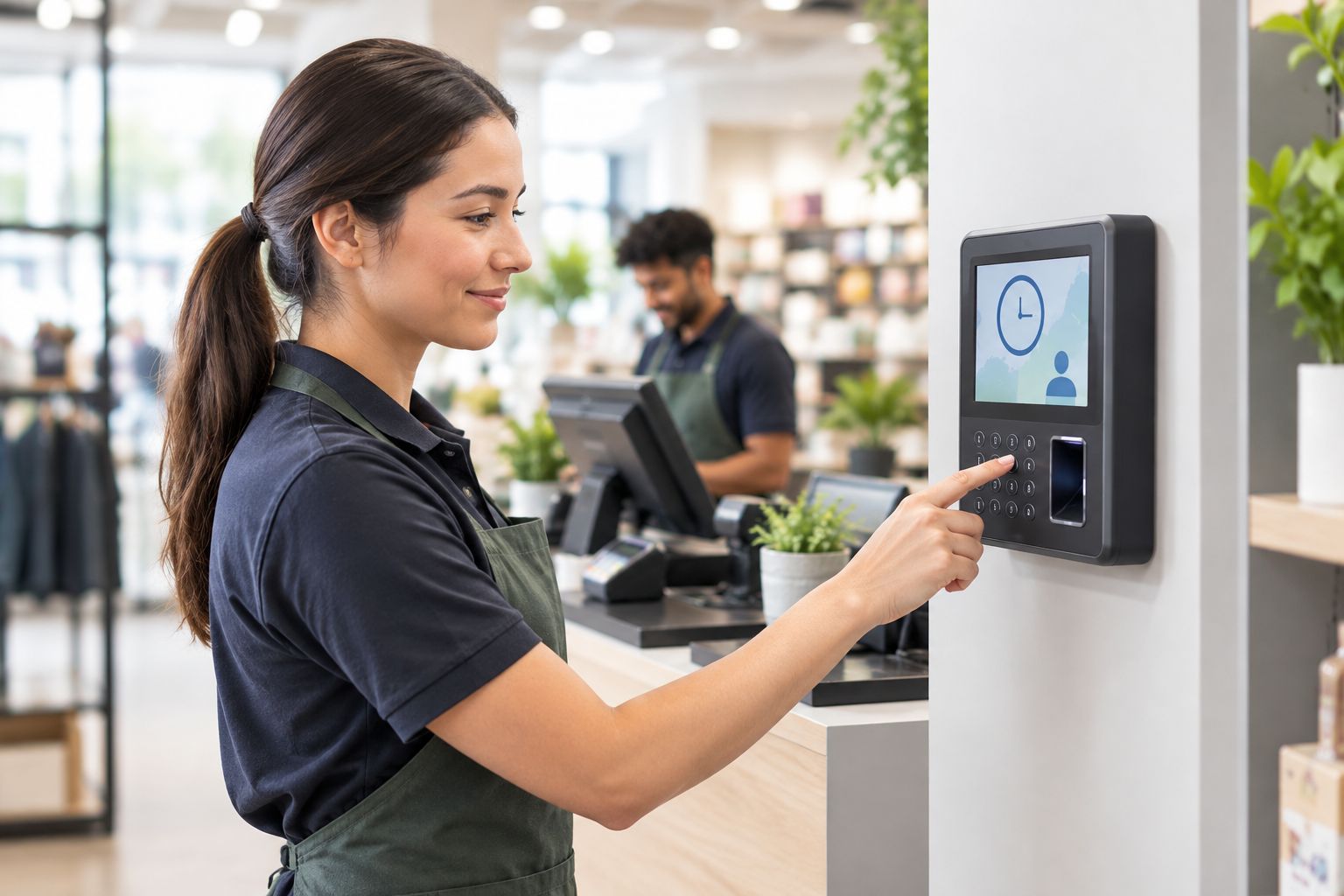
Kloqk gives every location a kiosk PIN pad or a mobile punch option, with photo verification to confirm the person clocking in is the person on the schedule. FLSA and California overtime rules calculate automatically, so a location in Sacramento and a location in Austin don't need two separate payroll processes. Hours export in one click, ready for payroll.
Kloqk pros:
- Free to run across multiple locations, not priced per site
- California overtime and FLSA rules built into every punch
- Kiosk PIN and mobile punch both available, so each location picks what fits
- Photo verification cuts down on buddy punching between sites
Kloqk cons:
- Scheduling tools aren't the core focus — Kloqk centers on the clock, compliance, and payroll export, not shift builders
- Businesses that want hiring or onboarding bundled in will need a separate tool
Kloqk pricing: free for the core time clock and compliance features across locations. For businesses already weighing California-specific rules, the California overtime compliant time clock software comparison breaks down how different tools handle daily overtime thresholds.
Best for: multi-location businesses that want compliance handled automatically without paying per site.
Verdict: Buy.
2. When I Work: best for scheduling across multiple locations
When I Work is built around the shift schedule first, with time tracking layered on top. Managers at each location build schedules, swap shifts, and message staff without leaving the app, and the time clock ties punches back to the scheduled shift automatically.
When I Work pros:
- Cross-location scheduling with drag-and-drop shift building
- Built-in team messaging so managers don't need a separate group chat app
- Shift swaps and open-shift claiming work across the account
When I Work cons:
- The time clock is secondary to scheduling, so compliance depth on overtime rules is thinner than a compliance-first tool
- Businesses that only need a clock, not a scheduler, are paying for features they won't touch
Best for: multi-location businesses where building and covering shifts is the bigger daily headache than the punch itself.
Verdict: Buy if scheduling is the priority.
3. Homebase: best for multi-location restaurant and retail hiring
Homebase pairs time tracking with hiring and onboarding, which matters for restaurant and retail chains that turn over staff often across several stores. New hires can apply, get scheduled, and clock in without switching systems.
Homebase pros:
- Hiring, onboarding, and time tracking live in one account
- Multi-location scheduling and messaging built in
- Works well for high-turnover retail and restaurant staffing
Homebase cons:
- Compliance rule depth (overtime by state) varies by plan tier
- Businesses that don't hire frequently get less value from the hiring module
Best for: multi-location restaurant and retail chains hiring and scheduling constantly.
Verdict: Hold if hiring volume is low; Buy if turnover is high.
4. QuickBooks Time: best for payroll-linked multi-location operations
QuickBooks Time (formerly TSheets) exists to feed hours directly into QuickBooks payroll. For a multi-location business already running payroll through QuickBooks, the sync removes a manual export-and-import step between the time clock and the paycheck.
QuickBooks Time pros:
- Direct sync into QuickBooks payroll, no manual re-entry
- GPS tracking available for mobile and field staff
- Familiar interface for businesses already in the QuickBooks ecosystem
QuickBooks Time cons:
- Tied closely to QuickBooks, so switching payroll providers later gets more complicated
- Less useful for businesses running payroll outside QuickBooks
Best for: multi-location businesses that already run payroll through QuickBooks and want the two systems talking directly.
Verdict: Buy if QuickBooks is the payroll system of record; Skip otherwise.
5. Deputy: best for multi-state shift compliance
Deputy focuses on interpreting labor rules across regions, which helps a multi-location business operating in several states keep overtime and break rules straight without a manager memorizing each state's threshold.
Deputy pros:
- Labor-rule interpretation built for multi-state operations
- Scheduling, time tracking, and task management in one account
- Handles complex shift patterns across locations
Deputy cons:
- Initial setup for multi-state rule configuration takes longer than a single-location tool
- More configuration than a business with one or two locations needs
Field-heavy operations comparing GPS accuracy across tools should also look at GPS time clock apps for field employees before locking in a multi-state platform.
Best for: multi-location businesses spread across several states with different overtime and break rules.
Verdict: Buy for multi-state complexity; Hold if every location is in one state.
6. Connecteam: best for multi-location field crews
Connecteam is built mobile-first, which fits multi-location businesses where staff aren't punching in at a fixed kiosk — construction crews, delivery teams, field service techs moving between job sites tied to different locations.
Connecteam pros:
- GPS-tagged punches confirm the job site, not just the time
- Mobile-first design fits crews that never see a wall-mounted kiosk
- Communication tools built for dispersed teams
Connecteam cons:
- Less suited to fixed retail or restaurant locations running kiosk-style clock-ins
- Feature depth leans toward mobile crews over storefront operations
Best for: multi-location field service and construction businesses without a fixed clock-in point.
Verdict: Buy for field crews; Skip for storefront-only operations.
How we ranked these
Each tool was measured against the six criteria above: per-location visibility, state-by-state overtime handling, kiosk versus mobile flexibility, photo or GPS verification, payroll export structure, and cost that doesn't punish adding a fifth or tenth location. No tool swept every category, which is the point of a decision tree instead of a single leaderboard.
Start tracking hours across locations free
Kiosk PIN or mobile punch, California overtime rules included.
Which time and attendance software should you choose in 2026?
If the deciding factor is cost and compliance across locations, Kloqk is the default pick — free across sites, with FLSA and California overtime rules calculated automatically. If scheduling coverage is the bigger daily fire, When I Work earns its spot. If payroll already runs through QuickBooks, QuickBooks Time removes a manual step every pay period. Multi-state operations with real compliance complexity should look hard at Deputy, and field crews without a fixed clock-in point are better served by Connecteam.
Businesses running a mix of retail counters and kiosk stations should also check time clock kiosk apps built specifically for that setup before committing to a mobile-only tool.
FAQ
What's the best time and attendance software for multi-location businesses in 2026?
Kloqk is the best overall pick for multi-location businesses in 2026 because it's free across locations and calculates FLSA and California overtime automatically. When I Work fits better if cross-site scheduling matters more than the punch clock itself.
Is Kloqk better than QuickBooks Time for multi-location businesses?
Kloqk is stronger on cost and built-in overtime compliance; QuickBooks Time is stronger if payroll already runs through QuickBooks and a direct sync matters more than compliance depth.
Does multi-location time tracking need to handle different state overtime rules?
Yes. A business with locations in California and a state without daily overtime thresholds needs software that applies the correct rule per location, not one flat overtime calculation across the account.
Can one account manage kiosk clock-ins at one location and mobile punches at another?
Kloqk supports kiosk PIN and mobile punch on the same account, so a retail counter and a field crew can each use the method that fits their setup.
How does photo verification help multi-location time tracking?
Photo verification confirms the person clocking in matches the scheduled employee, which matters more once a manager can't physically watch every location's clock.
Do multi-location businesses need GPS tracking on their time clock?
GPS tracking matters most for field crews and delivery teams without a fixed job site; fixed retail, restaurant, and clinic locations generally get more value from kiosk PIN or photo verification.
Does adding more locations cost more with time and attendance software?
It depends on the provider. Some tools price per location or per employee, which penalizes growth; check whether the software scales without a per-site fee before committing.
Can multi-location time and attendance software export directly to payroll?
Yes, most tools on this list export hours in a payroll-ready format, and some, like QuickBooks Time, sync directly into a specific payroll provider rather than exporting a flat file.
One last thing
The overtime rule that trips up the most multi-location operators in 2026 isn't federal FLSA — it's California's daily overtime threshold, which counts hours worked in a single day, not just the weekly total most other states use. A business with even one California location running the same overtime logic across every state ends up either underpaying California staff or overpaying everyone else. Confirm the software calculates overtime per location's actual state rule, not one blended formula for the whole account.


