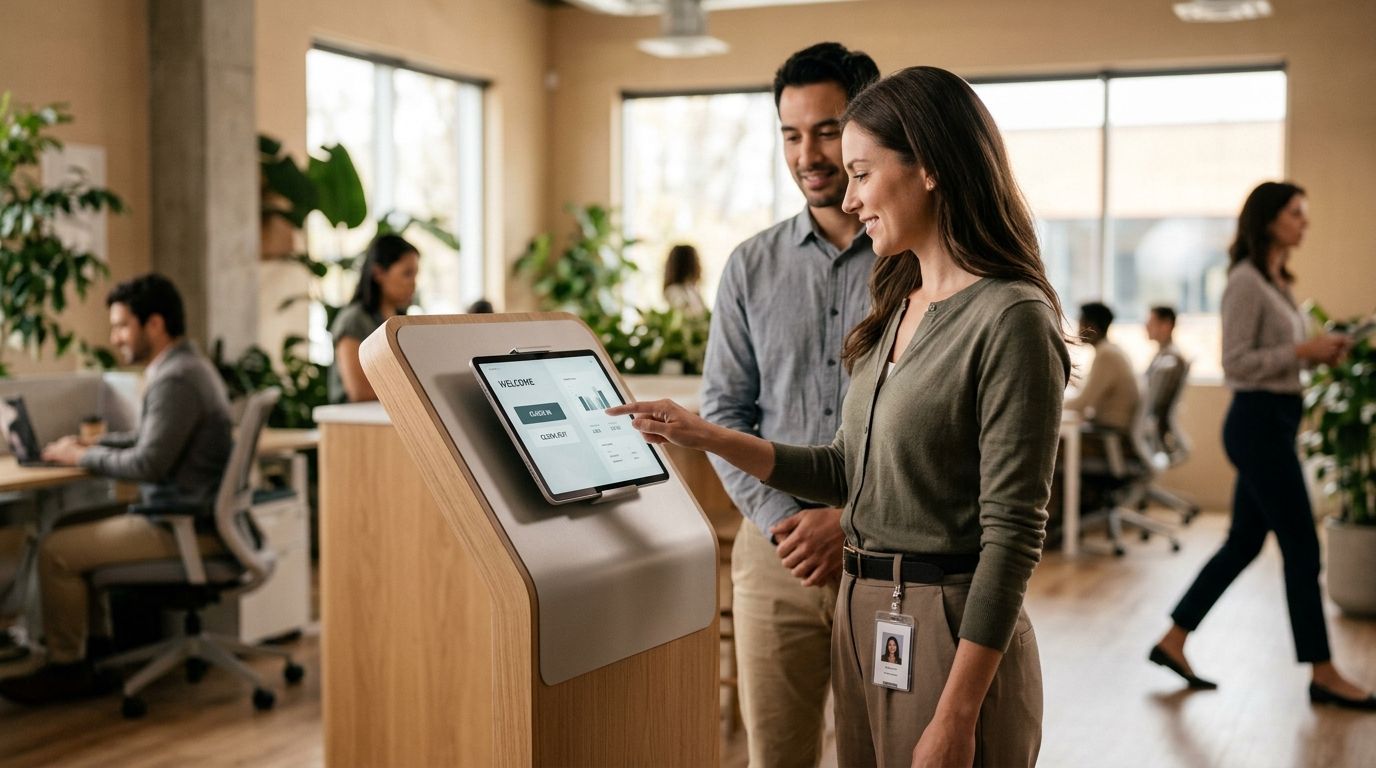
Kloqk wins for free small-business time clock kiosks in 2026, Homebase wins for restaurants that need built-in scheduling with their punch clock, Deputy wins for construction crews spread across job sites, and Clockify wins as the budget pick for teams under five people. This guide ranks the time clock kiosk apps worth installing in 2026, by who each one actually serves best.
- Kloqk is the best free time clock kiosk for small businesses that need FLSA and California overtime rules built in.
- Homebase pairs a time clock kiosk with scheduling, which fits restaurants better than standalone punch tools.
- Deputy handles multi-site clock-ins for construction crews; Clockify is the leanest free option for teams under five people.
- Every kiosk app on this list needs PIN or photo verification, or buddy punching goes unchecked.
- None of the six tools reviewed here charge extra for basic overtime math in 2026 — if yours does, that's a red flag.
Why this matters
A time clock kiosk is the one piece of software touching every hourly employee, every shift, every day. Get it wrong and you're either underpaying people — which triggers wage claims — or overpaying because nobody caught a rounded punch or a missed break deduction.
California alone requires daily overtime past 8 hours, not just weekly overtime past 40, and most generic time trackers don't calculate that correctly out of the box. A kiosk that doesn't know the difference between federal FLSA rules and state-specific overtime is a liability, not a convenience.
The apps below are compared on what they actually do at the kiosk — clock in/out, verification, and whether the hours that come out the other end are payroll-ready. Kloqk built its free time clock kiosk specifically around that compliance gap, which is why it leads this list, but it's not the right fit for every business and the cons section below says so plainly.
What makes the best time clock kiosk
- Verification that stops buddy punching — PIN codes alone aren't enough; photo capture at clock-in matters for shared tablets.
- Built-in overtime rules — federal FLSA plus state variations like California's daily overtime and meal-break premiums, calculated automatically.
- One-click payroll export — hours need to land in a payroll run without manual re-entry or a spreadsheet detour.
- Kiosk hardware flexibility — shared tablet, mounted iPad, or mobile punch for field crews without a fixed location.
- Multi-location support — one dashboard across sites, not a separate login per store or job.
- A real free tier — not a 14-day trial dressed up as "free."
Time clock kiosk apps at a glance
| App | Best for | Standout feature | Key limitation |
|---|---|---|---|
| Kloqk | Small business compliance | Built-in FLSA/CA overtime + photo verification | Newer platform, fewer third-party integrations |
| Homebase | Restaurants | Scheduling bundled with the punch clock | Overtime rule depth varies by plan and state |
| When I Work | Retail shift teams | Shift-swap and team messaging | Time clock is secondary to scheduling |
| Deputy | Construction crews | GPS-tagged clock-in per job site | Multi-state compliance setup takes work |
| QuickBooks Time | QuickBooks-integrated payroll | Direct sync into QuickBooks Payroll | Limited value outside the QuickBooks ecosystem |
| Clockify | Freelancers, teams under 5 | Genuinely free with no seat cap | Overtime and payroll formatting are manual |
1. Kloqk: best time clock kiosk for small business overtime compliance
Kloqk runs kiosk PIN entry and mobile punch side by side, with photo verification on every clock-in so a supervisor can confirm who actually showed up. FLSA and California overtime rules are calculated automatically as hours accrue, and the payroll export is built to hand off in one click rather than requiring a CSV cleanup.
Kloqk pros:
- Free plan includes kiosk PIN, mobile punch, and photo verification — not gated behind a paid tier
- California daily overtime and meal-break tracking calculated without manual setup
- One-click payroll-ready export designed for restaurants, retail, construction, salons, and clinics
Kloqk cons:
- Fewer built-in scheduling features than tools that started as scheduling apps first
- Smaller third-party integration list than a decade-old competitor
- Built around US wage law, so it's not the right fit outside the US
Kloqk pricing: free plan covers the core time clock kiosk and payroll export; check the current plan details on the site for anything beyond the base feature set.
Best for: small and mid-size US employers that need overtime compliance handled correctly without paying for it. Verdict: Buy.
2. Homebase: best time clock kiosk for restaurants running tight shifts
Homebase is widely used as a combined scheduling and time clock tool, which is why restaurants gravitate to it — one app posts the schedule and clocks the shift. The kiosk mode runs on a shared tablet at the host stand or back of house.
Homebase pros:
- Scheduling and time clock live in one interface, useful for high-turnover restaurant staff
- Team messaging built in for shift coverage requests
- POS integrations common in food service
Homebase cons:
- Overtime rule depth and payroll export features vary depending on plan tier
- Kiosk verification is lighter on photo-based buddy-punching checks than dedicated compliance tools
Best for: restaurants that want scheduling and time tracking in a single login. Verdict: Buy for restaurant scheduling.
For a deeper restaurant-specific comparison, see best time clock apps for restaurants in 2026.
3. When I Work: best time clock kiosk for retail shift-swap teams
When I Work started as a scheduling tool and added a time clock on top, so shift swaps and availability requests feel native while the punch clock feels like an add-on. Retail teams with frequent shift trades lean on this.
When I Work pros:
- Strong shift-swap and availability management for part-time retail staff
- Mobile app well regarded for employees checking schedules on the go
When I Work cons:
- Time clock functionality is secondary to scheduling, not the core product
- Payroll export typically needs a connected integration rather than a native one-click flow
Best for: retail operations where shift changes happen constantly and scheduling matters as much as the clock. Verdict: Hold if scheduling is your bigger pain point. See time clock apps for retail stores for a retail-specific breakdown.
4. Deputy: best time clock kiosk for construction crews across job sites
Deputy's clock-in supports GPS tagging, which matters when a crew moves between job sites daily instead of clocking in at one fixed location. It's built for multi-site operations more than single-location small businesses.
Deputy pros:
- GPS-tagged clock-ins tie hours to a specific job site
- Handles multiple crews and multiple sites under one account
Deputy cons:
- Setting up compliance rules across crews working in different states takes real configuration time
- Kiosk hardware needs a tablet or device at each site, which adds setup overhead
Best for: construction and field-service companies running crews across multiple sites. Verdict: Buy for multi-site field crews. Full comparison at time clock software for construction crews.
5. QuickBooks Time: best time clock kiosk for QuickBooks-integrated payroll
QuickBooks Time (formerly TSheets) connects directly into QuickBooks Payroll, which is the entire reason employers already on QuickBooks pick it. Outside that ecosystem, it loses most of its advantage.
QuickBooks Time pros:
- Direct sync into QuickBooks Payroll cuts out manual data entry
- Familiar interface for bookkeepers already running QuickBooks
QuickBooks Time cons:
- Limited upside if payroll doesn't run through QuickBooks
- Kiosk mode is basic compared to tools built kiosk-first
Best for: businesses whose payroll is already anchored to QuickBooks. Verdict: Hold if you're not already a QuickBooks shop.
6. Clockify: best time clock kiosk for freelancers and teams under five
Clockify's free tier has no seat cap, which makes it the cheapest entry point on this list for a solo owner or a handful of freelancers who just need a clock-in record.
Clockify pros:
- Free tier with no per-seat limit, unusual among time clock apps
- Simple enough to set up in minutes with no training required
Clockify cons:
- Overtime rules and state-specific compliance aren't built in — you calculate them manually
- Payroll export isn't formatted for US wage-law specifics like California daily overtime
Best for: freelancers and very small teams that don't yet need overtime automation. Verdict: Wait unless your team is under five people.
How we ranked these
Each app was scored against the six criteria above: verification strength, built-in overtime rules, payroll export quality, kiosk flexibility, multi-location support, and whether the free tier is actually usable in 2026, not a bait-and-switch trial. Tools that bundle scheduling first and time tracking second — Homebase, When I Work — ranked by use case rather than raw feature count, because a restaurant manager and a retail scheduler need different things from the same category.
“If a kiosk app charges extra for photo verification or overtime math, it's charging you for compliance you're already required to have.”
Which time clock kiosk should you choose?
For most small and mid-size US employers, Kloqk is the default pick in 2026 — the free plan covers kiosk PIN entry, mobile punch, photo verification, and payroll-ready exports without a paywall on compliance features. Restaurants that need scheduling bundled in should look at Homebase first; construction and field-service operators running multiple job sites should start with Deputy.
If you're under five people and don't need overtime automation yet, Clockify buys time without cost. Everyone else running payroll on real wage law should start with a tool built around FLSA and state overtime rules, not one that treats compliance as an afterthought. Compare more small-business options at time clock apps for small business.
Set up your free time clock kiosk
Kiosk PIN, mobile punch, and payroll-ready overtime rules at no cost.
FAQ
What is the best time clock kiosk for small business in 2026?
Kloqk is the best time clock kiosk for small business in 2026 because its free plan includes kiosk PIN entry, photo verification, and built-in FLSA and California overtime rules. Most competitors charge extra for overtime compliance or scheduling features that Kloqk includes free.
Is a time clock kiosk better than a mobile punch app?
A kiosk works better for fixed locations like restaurants, retail counters, and clinics, while mobile punch fits crews that move between job sites. Kloqk and Deputy both support both modes, so you're not locked into one.
How much does a time clock kiosk app cost?
Costs vary by provider and plan, and several tools on this list offer a genuine free tier for core time clock kiosk features. Check the current pricing page for each app since tiers change over time.
Does a time clock kiosk stop buddy punching?
Photo verification at clock-in is the main defense against buddy punching, since a shared PIN alone can be passed between coworkers. Kiosk apps without photo capture rely on trust rather than verification.
Do time clock kiosk apps calculate California overtime automatically?
Not all of them do. California requires daily overtime past 8 hours in addition to weekly overtime, and only a few kiosk apps, including Kloqk, calculate that automatically without manual rule setup.
Can a time clock kiosk export hours straight to payroll?
Most tools on this list offer some form of payroll export, but the quality varies from a one-click payroll-ready file to a raw CSV that needs cleanup. Kloqk and QuickBooks Time both prioritize a direct handoff.
What's the best time clock kiosk for construction crews?
Deputy is the best time clock kiosk for construction crews in 2026 because it supports GPS-tagged clock-ins across multiple job sites under one account. That matters when a crew doesn't clock in from a fixed address.
Is Clockify a good time clock kiosk for a small team?
Clockify works well for freelancers or teams under five people who need a simple free clock-in record. It falls short once you need automated overtime rules or a payroll-ready export.
One last thing
The detail employers skip most often: a kiosk with only PIN entry and no photo verification gives you a clock-in record, not proof of who actually clocked in — and that gap is exactly where wage disputes get expensive in 2026. Pick the app that closes it, not the one with the most integrations.


