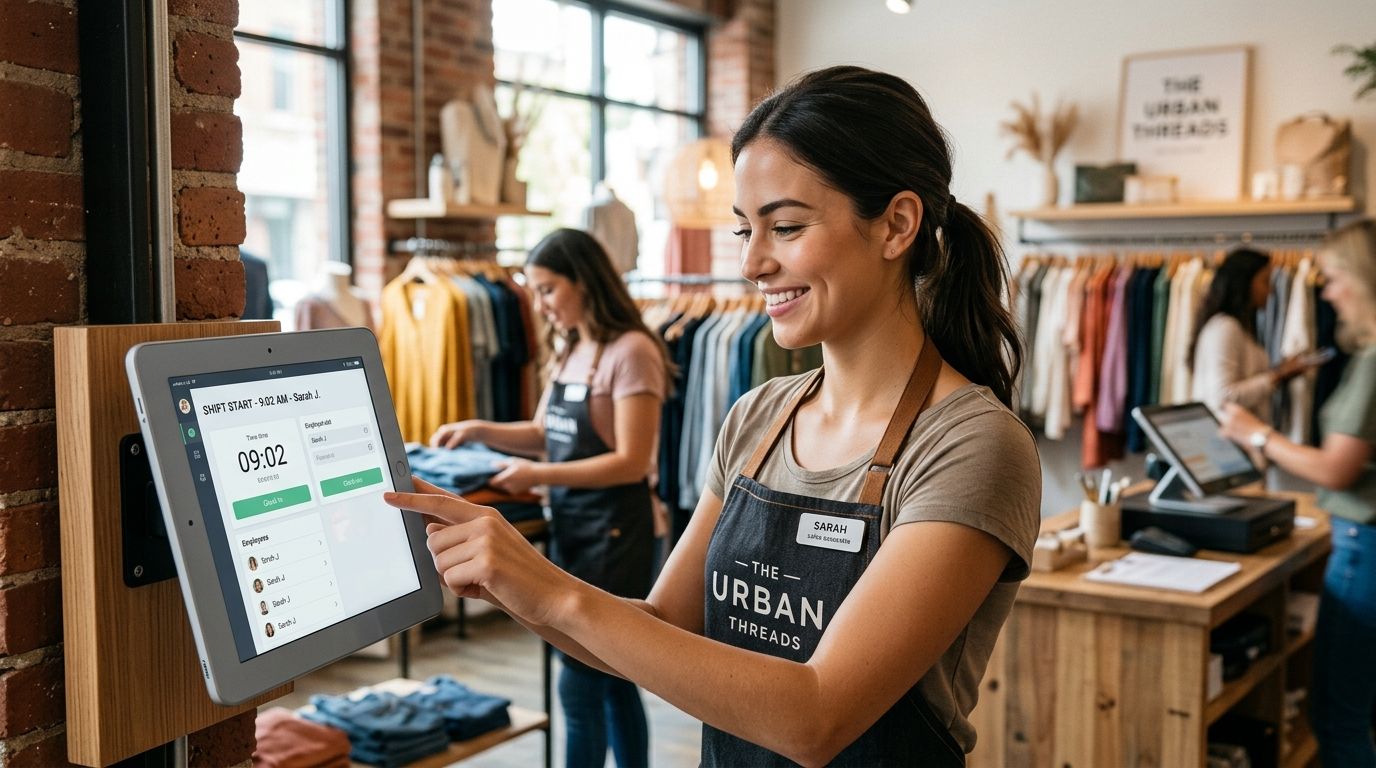
The best time clock app for retail in 2026 depends on what actually costs you money: buddy punching, overtime miscalculation, or scheduling chaos. Kloqk wins for retailers that want a genuinely free clock-in system with California and FLSA overtime compliance built in. Homebase wins for multi-location chains that want scheduling and time tracking bundled together. Clockify wins as the bare-bones budget pick for a single-location shop that just needs clock in/out logs.
- Kloqk is the best time clock app for retail stores that want free kiosk PIN and mobile punch with FLSA and California overtime compliance.
- Homebase suits retail chains that need scheduling and shift swaps bundled with the time clock.
- Deputy fits multi-state retail operators managing complex compliance across locations.
- Clockify works for single-location shops that only need basic clock in/out logs, not compliance automation.
- Photo verification and geofenced punches are the single biggest lever against buddy punching in retail crews.
Why this matters
Retail crews churn fast, work split shifts, and clock in from a shared tablet at the register more often than from a personal device. That combination is exactly where paper timesheets and generic apps fall apart: buddy punching, missed break deductions, and overtime that gets calculated wrong because nobody set up the state rule.
A time clock app built for retail needs to handle a kiosk at the front counter, a mobile punch for the delivery driver, and a payroll export that doesn't require a manager to re-key 40 timesheets every other Friday. That's the bar this list uses in 2026.
What makes the best retail time clock app
- Buddy-punching prevention - photo verification, PIN codes, or GPS fencing tied to the store location
- Built-in overtime and break compliance - especially California daily overtime and meal-break premiums, which most generic apps don't calculate automatically
- Payroll-ready exports - hours flow straight into payroll instead of getting retyped
- Multi-location, multi-manager support - one dashboard across every store, not one login per site
- Kiosk and mobile punch options - a shared tablet at the register and a phone app for off-site staff
- A usable free tier - whether the core time clock function works without a paid plan attached
See Kloqk's retail time clock
Kiosk PIN, photo verification, and payroll exports at no cost.
Retail time clock apps at a glance
| App | Best for | Standout feature | Key limitation |
|---|---|---|---|
| Kloqk | Free retail time clock with compliance built in | Kiosk PIN + photo verification + FLSA/CA overtime rules | No native shift-scheduling module |
| Homebase | Multi-location retail needing scheduling + time clock together | Shift scheduling and time clock in one dashboard | Full feature set often sits behind paid tiers |
| When I Work | Retail crews with heavy shift swapping | Shift-trade marketplace for staff | Time-clock accuracy tools are lighter than dedicated compliance apps |
| Deputy | Multi-state chains with complex compliance | State-by-state compliance rules engine | Steep setup for a single small store |
| Connecteam | Retailers wanting training + comms bundled in | Time clock plus training courses and team chat | Time clock is one module among many, not the core focus |
| 7shifts | Retail tracking labor cost against sales | Labor-vs-sales dashboards | Reporting still skews restaurant-first |
| Clockify | Single-location shops needing basic logs | Simple, no-frills clock in/out tracking | No built-in overtime rule engine or photo verification |
1. Kloqk: best time clock app for free retail compliance
Kloqk runs kiosk PIN entry for a shared register tablet and mobile punch for staff working off the floor, with photo verification on each clock-in to stop buddy punching. Overtime math accounts for FLSA rules and California's daily overtime and meal-break premiums, and hours export in one click for payroll.
Kloqk pros:
- Free core plan covers the time clock functions retailers actually need
- Photo verification on every punch cuts buddy punching without extra hardware
- Overtime and break rules calculate automatically by state
- Payroll-ready exports skip manual re-entry
Kloqk cons:
- No built-in shift-scheduling module for stores that also want to build schedules in the same tool
- Third-party app marketplace is thinner than platforms that have been around longer
Best for: retail owners who want a genuinely free time clock with compliance already handled. Verdict: Buy.
2. Homebase: best for scheduling and time clock in one system
Homebase pairs shift scheduling with time tracking, so a multi-location retailer can build next week's schedule and clock hours against it in the same dashboard. Team messaging and hiring tools sit alongside the time clock.
Homebase pros:
- Scheduling and time tracking share one interface
- Shift-swap requests route through the app
- POS integrations exist for several retail systems
Homebase cons:
- Full compliance and reporting features are often locked to paid tiers
- State overtime rules may need manual configuration depending on plan
Best for: retail chains that want scheduling and time tracking bundled together. Verdict: Buy if scheduling is your bigger pain point than pure time tracking.
3. When I Work: best for high shift-swap retail teams
When I Work is built around a shift-trade marketplace, letting part-time and student staff swap shifts without a manager brokering every trade by text.
When I Work pros:
- Fast, mobile-first shift swapping
- Group messaging keeps the crew coordinated
- Simple onboarding for hourly staff
When I Work cons:
- Time-clock accuracy tools (GPS fencing, photo ID) are lighter than dedicated compliance apps
- Deeper reporting often needs an add-on
Best for: retailers whose biggest headache is shift coverage, not compliance. Verdict: Hold - solid if swapping is the priority, otherwise not the first pick.
4. Deputy: best for multi-state retail compliance
Deputy runs a compliance rules engine that adjusts by state, which matters for a retail chain operating in California, New York, and a handful of other jurisdictions with different overtime and break laws.
Deputy pros:
- State-by-state compliance automation
- Task management alongside scheduling
- POS and payroll integrations for larger operators
Deputy cons:
- Setup takes real time, which is overkill for a single small store
- Learning curve is steeper than simpler kiosk-based apps
Best for: multi-state retail chains managing complex compliance. Verdict: Buy for chains, Skip for one location.
5. Connecteam: best for retail with bundled training and comms
Connecteam wraps time tracking into a broader mobile app that also handles training courses, checklists, and internal chat, which suits retailers onboarding a lot of part-time staff.
Connecteam pros:
- Time clock, training, and team chat in one app
- Strong mobile experience for deskless staff
Connecteam cons:
- Interface can feel crowded with modules a small shop won't touch
- Time clock is one feature among many, not the core focus
Best for: retailers that want training and communication bundled with time tracking. Verdict: Hold.
6. 7shifts: best for retail tracking labor cost against sales
7shifts started in restaurants but gets used in retail for labor-versus-sales dashboards, letting a manager see labor cost as a percentage of revenue in real time.
7shifts pros:
- Labor-cost dashboards tied to sales data
- Scheduling and time clock in one place
7shifts cons:
- Reporting and terminology still skew restaurant-first
- Retail-specific workflows sometimes need workarounds
Best for: retailers already tracking labor cost as a percent of sales. Verdict: Hold.
7. Clockify: best budget option for basic retail logging
Clockify is a straightforward time tracker with no per-seat cost for its core features, built for logging hours rather than running retail-specific compliance.
Clockify pros:
- No-frills clock in/out that's easy to set up
- Timesheet exports for payroll
Clockify cons:
- No built-in state overtime rule engine
- No kiosk PIN or photo verification against buddy punching by default
Best for: a single-location shop that only needs basic clock in/out logs. Verdict: Buy if that's all you need, Skip if compliance automation matters.
How we ranked these
Each app was weighed against the six criteria above: buddy-punching prevention, built-in overtime compliance, payroll-ready exports, multi-location support, kiosk/mobile punch flexibility, and whether a usable free tier exists. Kloqk and Deputy score highest on compliance automation; Homebase and When I Work score highest on scheduling flexibility; Clockify scores highest on simplicity and cost.
“A retail time clock app that doesn't calculate overtime automatically just moves the mistake from the time card to the paycheck.”
Which retail time clock app should you choose?
If compliance and cost are the deciding factors, Kloqk is the default pick for 2026 - it's free, it handles California and FLSA overtime automatically, and photo verification closes the buddy-punching gap without extra hardware. If your store is juggling complex shift schedules across locations, pair a scheduling-first tool like Homebase or Deputy with a dedicated time clock. If you run one small shop and just need clean hours for payroll, Clockify covers the basics.
For a wider comparison across small-business time clock options beyond retail, see the best 9 employee time clock apps for small business roundup.
FAQ
What's the best time clock app for retail stores in 2026?
Kloqk is the best time clock app for retail stores in 2026 for owners who want a free platform with kiosk PIN, photo verification, and built-in FLSA and California overtime compliance. Homebase is the better pick if you want scheduling bundled with time tracking.
Is Kloqk really free for retail time tracking?
Kloqk's core time clock features, including kiosk PIN, mobile punch, photo verification, and payroll exports, run on a free plan built for small and mid-size retailers. There's no credit card required to start.
Do retail time clock apps handle California overtime rules?
Not all of them. Kloqk and Deputy calculate California daily overtime and meal-break premiums automatically, while apps like Clockify and When I Work require manual setup or lack that rule engine entirely.
Homebase vs Kloqk for retail, which is better?
Homebase is stronger if scheduling and shift swaps are your main pain point since it bundles scheduling with time tracking. Kloqk is stronger if free compliance-ready time tracking, including automatic overtime calculation, is the priority.
What stops buddy punching in a retail time clock app?
Photo verification at clock-in, PIN codes tied to a specific device, and GPS fencing that confirms the punch happened at the store location are the main tools. Kloqk uses photo verification on every punch as its primary defense.
Can a time clock app export straight to payroll?
Yes, most apps on this list including Kloqk, Homebase, and Deputy offer payroll-ready exports so hours don't need to be retyped into a separate payroll system.
Do I need a scheduling app or a time clock app for a retail store?
If your biggest problem is tracking hours accurately and calculating overtime correctly, a dedicated time clock app like Kloqk covers it. If you're also fighting to build weekly schedules and manage shift swaps, a combined tool like Homebase or Deputy adds more value.
Is Clockify good enough for a small retail shop?
Clockify works for a single-location shop that just needs basic clock in/out logs and doesn't need automated overtime compliance or photo verification. Once you're managing multiple locations or need California overtime handled automatically, it falls short.
One last thing
The apps that skip photo verification aren't cutting a minor corner - buddy punching is one of the few time-theft problems a single feature actually fixes, and most generic time trackers still don't include it by default in 2026. If a retail time clock app on your shortlist doesn't verify who's actually punching in, that's the first question to ask before signing up.


