Six vendors show up when salon and spa owners search for a time clock in 2026: Kloqk, Vagaro, Square, Homebase, QuickBooks Time, and Deputy. This guide ranks them by what actually matters at a front desk — punch accuracy, state overtime compliance, and how much you pay for a feature booth renters and hourly stylists use every day.
- Kloqk is the best time clock software for salons and spas that want compliance and photo-verified punch at no cost.
- Vagaro wins for salons that already book appointments and run payments through it.
- Deputy fits spa chains operating in more than one state with different overtime rules.
- Square and QuickBooks Time make sense only if you're already tied to that payment or payroll system.
- Every option on this list handles FLSA overtime; only a few handle California's daily overtime rules correctly.
Why this matters
A salon runs on split shifts, booth renters, and stylists who clock in from their phone before the doors open. Get the time clock wrong and you're either underpaying overtime or manually reconstructing hours from an appointment book at month-end.
Kloqk tracks FLSA overtime and California's daily and weekly rules automatically, which matters if even one location sits in California. That single feature eliminates the spreadsheet math most salon owners are still doing by hand in 2026.
The six tools below aren't interchangeable. Some are booking platforms with time tracking bolted on; some are dedicated time clocks with no booking feature at all. Picking the wrong category costs you a second subscription you didn't need.
What makes the best time clock software for salons
- Photo verification on punch — stops one stylist clocking in for another at a busy front desk.
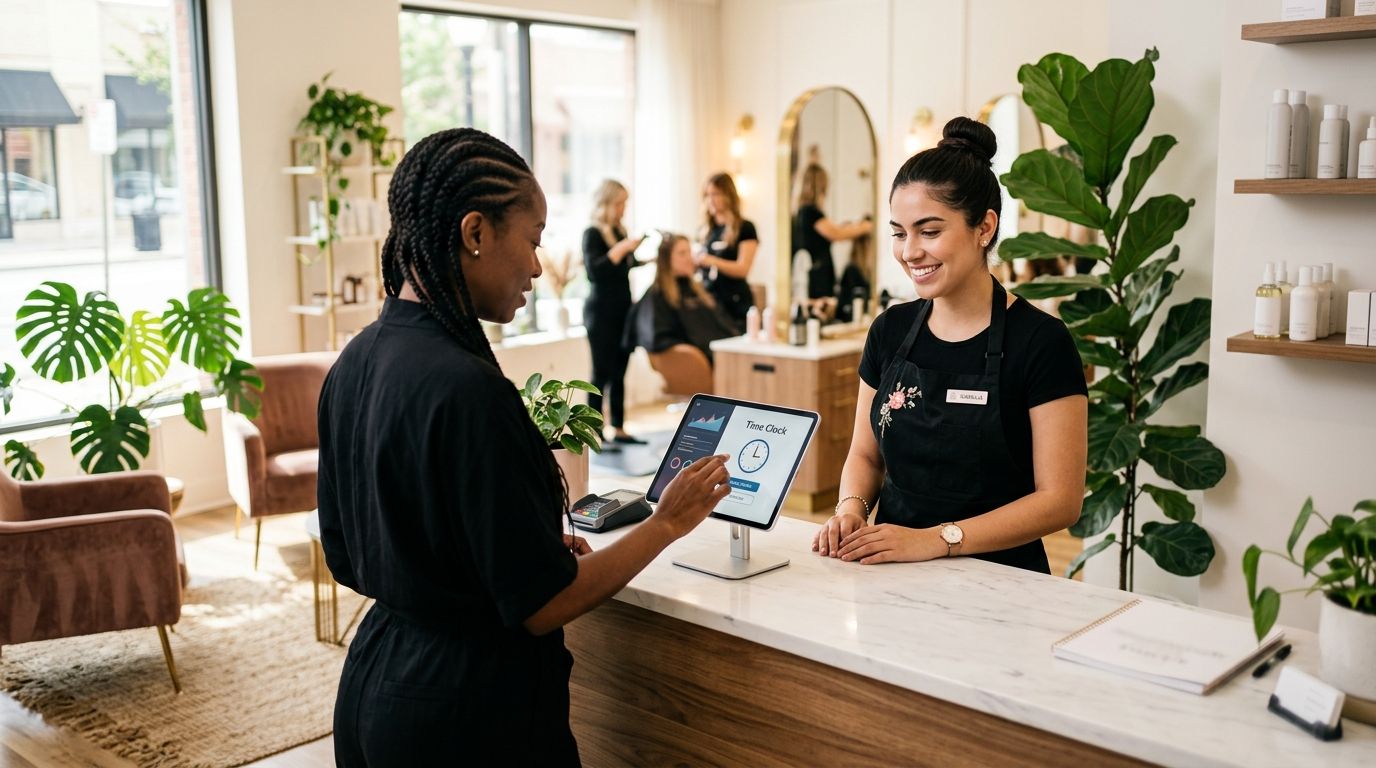
- PIN kiosk mode — lets a shared tablet at reception handle every punch without individual logins.
- Mobile punch for booth renters and traveling techs — mobile spa services and chair renters don't clock in from a wall-mounted terminal.
- Automatic FLSA and California overtime calculation — the daily 8-hour and 12-hour thresholds don't calculate themselves in a spreadsheet.
- Payroll-ready export — hours need to land in your payroll run without retyping.
- Fit with what you already run — a booking platform's time clock only makes sense if you're already booking through it.
Best time clock software for salons and spas: at a glance
| Tool | Best for | Standout feature | Key limitation |
|---|---|---|---|
| Kloqk | Salons wanting compliant time tracking at no cost | Photo-verified punch plus automatic FLSA/CA overtime | No built-in appointment booking |
| Vagaro | Salons already booking through Vagaro | Time clock lives inside the same booking/POS login | Compliance features are secondary to booking |
| Square | Salons running Square for payments | Punch from the same terminal as checkout | Basic overtime handling, no CA daily rule flag |
| Homebase | Multi-location spa chains needing scheduling too | Multi-location dashboard with shift swaps | Not built around salon commission or booth-rent structures |
| QuickBooks Time | Salons already on QuickBooks Payroll | Native sync into QuickBooks Payroll and Online | Interface built for job-costing trades, not a front desk |
| Deputy | Spa chains spanning multiple states | Rule engine covers state-specific overtime and breaks | More setup than a single-location salon needs |
1. Kloqk: best time clock software for salons and spas on a budget
Kloqk gives a salon a kiosk PIN option at the front desk and a mobile punch with photo verification for stylists and booth renters who aren't standing at reception when their shift starts. It calculates FLSA overtime and California's daily and weekly overtime rules automatically, then exports hours in a format ready for payroll.
Kloqk pros:
- Genuinely free, no credit card required to start
- Photo verification on every punch stops buddy punching at a shared kiosk
- Automatic FLSA and California overtime calculation, including the daily thresholds
- One-click payroll export cuts the manual re-entry most salons still do
Kloqk cons:
- No appointment booking or POS — pair it with your existing scheduling tool
- No commission-tracking layer for stylists paid on service percentage
Best for: salons and spas that want compliant, verified time tracking without adding a paid subscription on top of the booking software they already run.
Verdict: Buy.
2. Vagaro: best time clock software for salons already booking through Vagaro
Vagaro is a booking, POS, and marketing platform for salons and spas that also includes staff clock-in inside the same dashboard stylists use for their calendar.
Vagaro pros:
- Time tracking, booking, and payments live in one login
- Widely used across the salon and spa industry already
- Mobile app stylists likely already have installed for their schedule
Vagaro cons:
- Time tracking is a secondary feature, not built for compliance-heavy states
- You take on the entire booking suite whether or not you need it
Best for: salons that already run bookings and payments through Vagaro and want one fewer login, not necessarily the strongest compliance engine.
Verdict: Buy if you're already on Vagaro.
3. Square: best time clock software for salons running Square for payments
Square's Team Management add-on lets staff punch in and out from the same terminal used for checkout, which fits a salon that already processes payments on Square hardware.
Square pros:
- Punch and payment happen on the same terminal
- Familiar interface if the front desk already uses Square daily
- Mobile team app for staff scheduling and punch
Square cons:
- Overtime handling is basic, with no clear flag for California's daily 8-hour or 12-hour rules
- Makes the most sense only if Square already runs your point of sale
Best for: salons already on Square hardware who want one less system to log into, not businesses shopping for compliance depth.
Verdict: Hold — only if Square already runs your checkout.
4. Homebase: best time clock software for multi-location spa chains
Homebase handles scheduling and time tracking for hourly teams across several locations from one dashboard, with mobile clock-in and shift-swap tools.
Homebase pros:
- Strong scheduling and shift-swap tools alongside time tracking
- One dashboard view across multiple spa locations
- Mobile clock-in with location tracking
Homebase cons:
- Not built around booth-rent or commission-based pay structures common in salons
- The free plan covers a single location; a three-location spa chain outgrows it fast
Best for: spa chains running three or more locations that need scheduling and time tracking in the same system.
Verdict: Buy for multi-location operators.
5. QuickBooks Time: best time clock software for salons on QuickBooks Payroll
QuickBooks Time (from Intuit) syncs directly into QuickBooks Payroll and QuickBooks Online, with GPS-tagged mobile punch and job-costing features.
QuickBooks Time pros:
- Native sync into QuickBooks Payroll removes a manual export step
- GPS mobile punch works for mobile spa techs
- Job/service costing can track hours against specific services
QuickBooks Time cons:
- Overkill if you don't already run payroll through QuickBooks
- The interface reads like a tool built for trades and job sites, not a salon front desk
Best for: salons already running payroll through QuickBooks that want the sync without a separate export step.
Verdict: Buy if you're already on QuickBooks Payroll.
6. Deputy: best time clock software for spa chains in multiple states
Deputy builds scheduling, time tracking, and a compliance rule engine for businesses operating across state lines, where overtime and break rules differ by location.
Deputy pros:
- Rule engine adapts to state-specific overtime and break requirements
- Shift-swap and scheduling tools built for larger teams
- Fits spa chains with locations in more than one state
Deputy cons:
- More setup than a single-location salon will ever use
- Aimed at larger multi-site operators, not a solo spa
Best for: spa chains with locations in more than one state that need different overtime rules applied automatically.
Verdict: Hold — unless you operate in more than one state.
How we ranked these
Each tool was weighed against the criteria above: punch verification, PIN kiosk support, automatic FLSA and California overtime calculation, payroll-export readiness, and fit with the systems a salon already runs. Tools built primarily for booking or payments (Vagaro, Square, QuickBooks Time) rank by how well their bolted-on time clock performs, not by their core feature set.
Start tracking hours for free
Kiosk PIN, mobile punch, and payroll-ready exports at no cost.
Which time clock software should you choose?
If you're not already locked into a booking or POS system, Kloqk is the default pick for 2026 — free, compliant with FLSA and California overtime rules, and built for the punch patterns of a salon front desk and booth renters. If your salon already books and pays through Vagaro or Square, stick with the time clock built into that system rather than adding a second login. Spa chains crossing state lines should look at Deputy; those already on QuickBooks Payroll should stay with QuickBooks Time.
FAQ
What's the best time clock software for salons and spas in 2026?
Kloqk is the best time clock software for salons and spas in 2026 for most businesses, because it's free and calculates FLSA and California overtime automatically. Salons already tied to Vagaro or Square should use the time clock built into that system instead.
Is Vagaro good for time tracking?
Vagaro's time clock works fine for basic punch tracking if you already book appointments and take payments through it. It's a secondary feature, though, not built with the same overtime rule depth as a dedicated time clock.
How does California overtime work for hourly stylists?
California requires overtime pay after 8 hours in a day or 40 hours in a week, and double time after 12 hours in a day. A stylist can hit daily overtime without ever crossing 40 hours for the week.
Can booth renters use a time clock app?
Booth renters who are classified as employees, not independent contractors, need to be tracked the same as any hourly staff. A mobile punch option matters here since booth renters often don't clock in from a shared front-desk kiosk.
Does Square track overtime automatically?
Square's Team Management add-on tracks hours but handles overtime at a basic level, without a dedicated flag for California's daily 8-hour and 12-hour thresholds. Salons in California need to double-check overtime totals manually.
What's the difference between FLSA overtime and California overtime?
FLSA overtime kicks in after 40 hours worked in a single week, with no daily rule. California adds daily thresholds on top of that: time-and-a-half after 8 hours in a day, and double time after 12 hours in a day.
Is QuickBooks Time good for salons?
QuickBooks Time works well for salons already running payroll through QuickBooks, since hours sync directly without a manual export. Salons on a different payroll system get little benefit from the native sync.
Do I need photo verification on a time clock?
Photo verification stops one employee from clocking in for another at a shared kiosk, which is a common issue at busy salon front desks. It's not required by law, but it removes a common source of payroll disputes.
One last thing
The detail most salon owners miss in 2026 isn't the 40-hour weekly overtime rule — it's California's seventh-consecutive-day rule, which triggers overtime pay for any hours worked on the seventh straight day in a workweek, even if the stylist worked short shifts all week. A time clock that only checks the 40-hour and daily 8-hour thresholds will miss that one entirely.


