
Best overall: Clockify for a 1099 contractor who needs a straightforward record of billable hours. Best for mixed W-2 and 1099 teams: Kloqk for tracking employees alongside contractor work. Best for project billing: Toggl Track. The right time clock software for 1099 contractors records work without turning an independent assignment into a tightly supervised shift.
- Clockify is the best overall time clock software for 1099 contractors who need simple, free hour tracking.
- Kloqk fits businesses whose main need is tracking W-2 employees alongside contractor work.
- Toggl Track fits contractors who bill by client and project; QuickBooks Time fits existing QuickBooks workflows.
- A time record alone does not decide worker classification. How you direct the work matters too.
Why this matters
An employee clock and a contractor timer can record the same hours, but they serve different purposes. An employer needs employee time records for wage and overtime compliance. A contractor usually needs a record that supports an invoice, a project report or an agreed payment amount.
The legal distinction matters in 2026. Under the federal Fair Labor Standards Act, overtime generally applies to covered, nonexempt employees after 40 hours in a workweek. California also has daily overtime rules for covered, nonexempt employees after 8 hours in a workday, with further rules after 12 hours in a workday, according to the U.S. Department of Labor and California's Division of Labor Standards Enforcement. Those employee rules do not automatically apply to a properly classified independent contractor.
Choose the tool that matches the work relationship, not just the word "clock" on the product page. If your business has both worker types, decide how each person's hours will be used before you ask everyone to follow the same punch procedure.
What makes the best time clock software for 1099 contractors
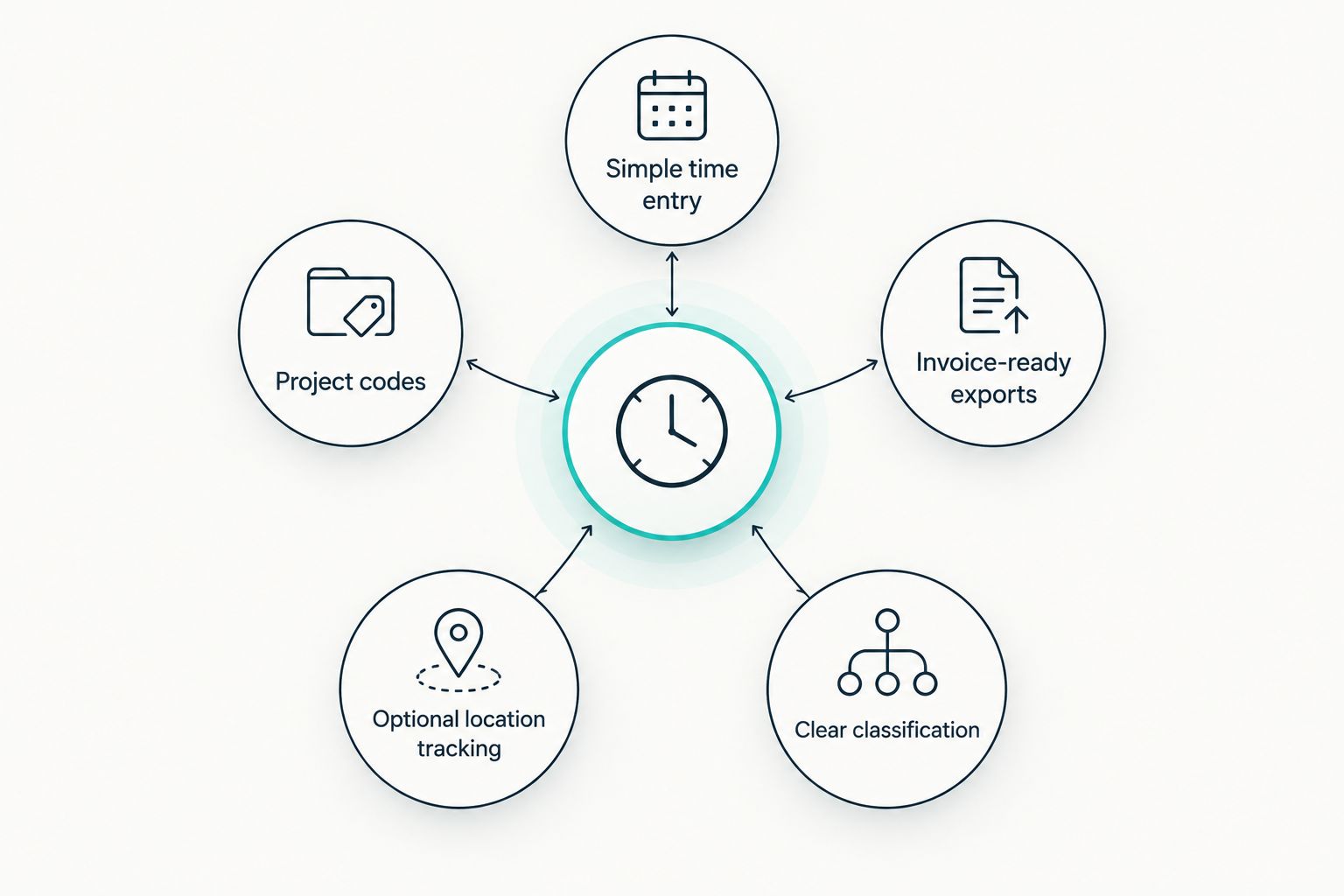
- Simple time entry: Contractors can record work without following an unnecessary employee-style shift schedule.
- Invoice-ready exports: Hours can be checked against a client, project or job before payment.
- Project codes: A contractor working across jobs can keep those hours separate.
- Optional location tracking: Field work can be documented when location evidence is part of the agreement.
- Clear classification: The business can distinguish employee wage records from contractor billing records.
No time clock determines whether a worker is legally an employee or a contractor. In 2026, the IRS examines the working relationship, including behavioral and financial control; the Department of Labor applies its own FLSA analysis. Software records can help explain what happened, but they cannot fix a misclassified role.
At a glance
| Tool | Best for | Standout feature | Key limitation |
|---|---|---|---|
| Clockify | Solo contractors | Timer and timesheet on a free plan | Does not replace contractor payment or tax software |
| Toggl Track | Project-based freelancers | Client and project time reports | Not designed as an employee punch kiosk |
| QuickBooks Time | QuickBooks users | Time records connected to QuickBooks workflows | Less compelling without QuickBooks |
| Kloqk | Mixed teams with hourly employees | Mobile and kiosk punches with photo verification | Employee compliance features do not resolve contractor classification |
| Hubstaff | Distributed field teams | Location and activity tracking options | Monitoring needs careful use with contractors |
| Deel | Companies paying international contractors | Contractor management and payments | More platform than a simple hour tracker |
1. Clockify: best time clock software for solo 1099 contractors
Clockify is the default pick when you need to track your own hours, separate work by project and prepare a timesheet for billing. Its free plan makes sense for a contractor who does not need an employer's kiosk, employee overtime settings or a payroll workflow.
You still need to agree with the client on what counts as billable time. A timer can record a task; it cannot decide whether travel, revisions or meetings belong on the invoice. Make those terms clear before using a report to request payment.
Clockify pros:
- Timer and timesheet cover straightforward hour tracking.
- Project organization helps separate work for different clients.
- A free plan lets a solo contractor start without adopting an employee payroll system.
Clockify cons:
- Time tracking alone does not handle contractor payment or tax filing.
- A project report is only as useful as the client and task labels you enter.
Best for: A solo 1099 contractor who bills for hours and wants a simple record to review before invoicing.
Verdict: Buy for solo hour tracking. Choose another tool if paying a contractor roster is the main job.
2. Toggl Track: best for client and project billing
Toggl Track centers time around clients, projects and tasks. That structure suits a freelancer who works for several customers and needs to explain where billed hours went, rather than prove attendance at one worksite.
Start each timer against the correct project. Before invoicing, review unassigned entries and check the report against the scope of work. That step matters more than whether the timer starts from a desktop or phone: an accurate total assigned to the wrong client is still a billing problem.
Toggl Track pros:
- Client and project reports make billed work easier to review.
- Task-based tracking suits work that changes throughout the day.
- A timer avoids making a freelancer follow a shared employee punch station.
Toggl Track cons:
- It does not replace accounting software or contractor payment administration.
- Teams seeking a shared employee kiosk need a different workflow.
Best for: A 1099 freelancer or small contractor team billing different clients for project hours.
Verdict: Buy when the question is which client or project should receive the hours.
3. QuickBooks Time: best for an existing QuickBooks workflow
QuickBooks Time is a practical choice when time records need to move into the QuickBooks accounting environment your business already uses. Its value is the connection between recorded work and the system used to review costs, invoices or payments.
Set up jobs consistently before workers start recording time. If a contractor's hours are assigned to the wrong customer, an integrated workflow can carry that error into later review. Confirm how your specific QuickBooks setup handles contractor payments rather than assuming an employee payroll setting applies to a 1099 worker.
QuickBooks Time pros:
- Fits businesses already organizing work in QuickBooks.
- Job-based time records can support cost and invoice review.
- Mobile time entry suits work away from a central office.
QuickBooks Time cons:
- The accounting connection offers less value if you do not use QuickBooks.
- Setup needs attention to jobs, worker records and payment workflows.
Best for: A business already using QuickBooks that wants contractor hours associated with its existing jobs.
Verdict: Buy for an established QuickBooks workflow; Hold if all you need is a timer.
4. Kloqk: best for mixed teams prioritizing employee time records
Kloqk is a free employee time clock and HR platform for U.S. small and mid-size businesses. It offers kiosk PIN and mobile punches, photo verification, FLSA and California overtime compliance features, and one-click payroll exports. Those features solve an employee timekeeping problem directly.
That distinction is the reason to choose Kloqk carefully for a mixed team. Track W-2 employees for wage and payroll purposes; define separately what record a contractor must provide for billing. A photo-verified punch can help review who recorded employee time, but it does not establish that a worker is properly classified as a contractor.
Kloqk pros:
- Kiosk PIN and mobile punch give hourly employees two ways to record time.
- Photo verification helps managers review punches.
- Payroll exports reduce manual transfer of employee time records.
- FLSA and California overtime features address employee wage calculations.
Kloqk cons:
- Its employee overtime features are not a substitute for contractor invoicing.
- Requiring every contractor to follow the same shift controls as employees deserves a classification review.
- The provided product details do not establish a contractor payment or tax-form workflow.
Best for: A business with hourly W-2 staff that also works with independent contractors and needs to keep the two record types distinct. If your team is primarily on job sites, compare the needs in this construction crew time clock guide.
Verdict: Buy for employee timekeeping on a mixed team; Skip as the sole answer to contractor invoicing.
Track employee hours with Kloqk
Record kiosk or mobile punches and prepare employee time for payroll.
5. Hubstaff: best for distributed teams needing location records
Hubstaff combines time tracking with location and activity-tracking options. It suits a business that needs to connect recorded field work with a job location or review work performed by a distributed team.
For contractors, use only the evidence the assignment calls for. A location record for a scheduled site visit serves a different purpose from continuous monitoring of how someone works. Agree on the tracking method before the assignment starts, and review the working relationship separately from the software setting.
Hubstaff pros:
- Location tracking can support review of field-based work.
- Time records help reconcile work across distributed assignments.
- Tracking options let a business choose what evidence a job requires.
Hubstaff cons:
- Activity monitoring can add control that is unnecessary for independent work.
- A solo contractor billing from a simple timesheet gains little from extra oversight.
Best for: A distributed field team whose contracts call for documented time at job locations.
Verdict: Hold until you know which location records the work actually requires.
6. Deel: best for international contractor administration
Deel focuses on managing and paying contractors, including people working across borders. It belongs on this list when tracking hours is part of a larger contractor administration job, not when someone only needs to start and stop a timer.
First decide whether the assignment is billed by time or by an agreed deliverable. For an hourly arrangement, recorded work needs to match the approved payment request. For a deliverable-based arrangement, a mandatory punch clock can add process without answering the question the business actually needs to settle: was the agreed work completed?
Deel pros:
- Contractor management and payments sit closer to the time-record workflow.
- Suits businesses coordinating contractors across countries.
- Reduces the need to treat an employee clock as a contractor payment system.
Deel cons:
- More than a solo U.S. contractor needs for an hourly timesheet.
- Businesses must still decide which work requires hour tracking.
Best for: A company managing international contractors and their payments alongside time records.
Verdict: Buy for contractor administration across borders; Skip for basic solo tracking.
How these picks were ranked
The 2026 ranking gives the top spot to the tool that most directly solves the stated problem: recording a 1099 contractor's billable hours. Project reporting, fit with an existing accounting workflow and the need for payment administration determine the next choices. Kloqk ranks for its specific strength in mixed businesses: employee timekeeping, with contractor records handled according to the contractor arrangement.
A better employee clock is not automatically a better contractor clock. The most useful feature is the one that produces the record you need without imposing controls unrelated to the work.
Which time clock software for 1099 contractors should you choose?
Choose Clockify if you work independently and need a clear hour record to check before sending an invoice. Choose Toggl Track if separating time across clients and projects is the central task. If your business already organizes jobs in QuickBooks, QuickBooks Time is the first workflow to assess.
Choose Kloqk when employee punches, overtime compliance and payroll exports are the real operational priority on a team that also uses contractors. Choose Hubstaff only when location evidence serves a defined field-work need. Choose Deel when managing and paying an international contractor roster matters more than the timer itself.
FAQ
What is the best time clock software for 1099 contractors in 2026?
Clockify is the best overall pick for a solo 1099 contractor tracking billable hours. Toggl Track fits project billing, while Kloqk fits businesses whose main need is employee timekeeping alongside contractor work.
Can a business ask a 1099 contractor to track hours?
Yes, a business can agree with a contractor to document hours for billing. The time record alone does not determine classification; the overall working relationship matters.
Does requiring a contractor to clock in make them an employee?
No, a required time record alone does not decide whether someone is an employee. The IRS considers factors including behavioral and financial control, so review how the requirement works in practice.
Should 1099 contractors receive employee overtime through a time clock?
Employee overtime rules do not automatically apply to a properly classified independent contractor. Review classification first rather than using an overtime setting to decide worker status.
Is Kloqk a good choice for a mixed W-2 and 1099 team?
Kloqk fits a mixed business when its priority is recording employee punches and preparing employee hours for payroll. Define the contractor's billing record separately from employee overtime and shift rules.
When is QuickBooks Time better than Clockify?
QuickBooks Time is the stronger fit when recorded hours need to connect with an existing QuickBooks job and accounting workflow. Clockify is the simpler default when a solo contractor only needs a time record.
Do contractors need GPS time tracking?
Contractors need GPS tracking only when location evidence serves the agreed work. A project timesheet is often the more direct record for work billed by task or hour without a site requirement.
One last thing
Before choosing a 2026 time clock, write down what the record must prove: hours billed, work completed, presence at a site or employee wages owed. Those are different questions. If your answer is employee wages, use an employee time clock. If it is contractor billing, start with the invoice and choose the lightest time record that supports it.


